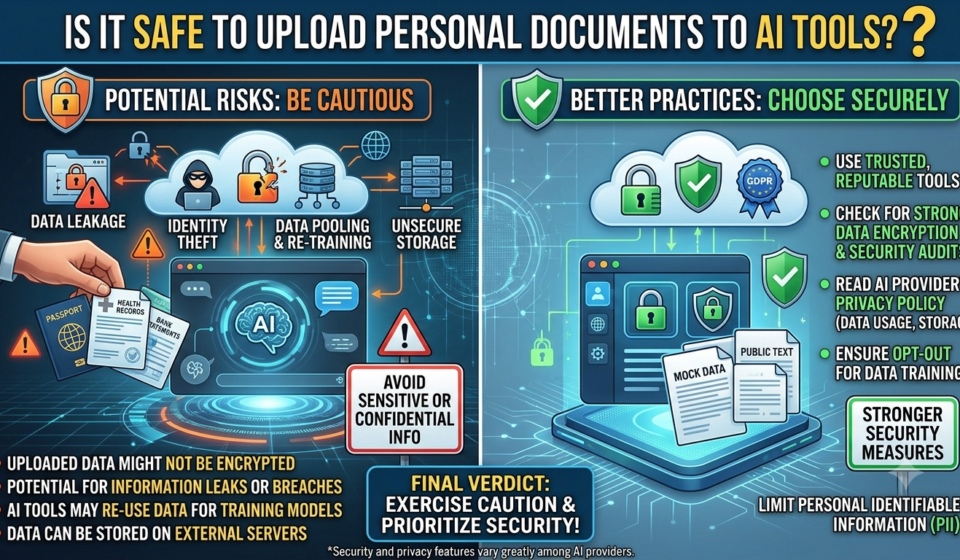
Is It Safe to Upload Personal Documents to AI Tools? Privacy Risks, Data Protection and Safety Tips

Is it safe to upload personal documents to ChatGPT or Gemini? Understand AI privacy risks, data settings and 10 practical ways to protect your information.
AI tools have made everyday tasks much easier. You can upload a PDF and ask for a summary, share a resume and improve its formatting, upload a spreadsheet for analysis or even ask AI to explain a complicated document.
But have you ever stopped to think about what happens to that document after you upload it?
Your resume may contain your phone number and email address. A bank statement may reveal your account details and spending habits. An identity document may contain information that should never be shared unnecessarily.
As AI tools become part of everyday work, studying and business activities, understanding data privacy is becoming increasingly important.
So, is it safe to upload personal documents to ChatGPT, Google Gemini or other AI tools?
The short answer: It depends on the type of document, the AI platform, its privacy settings and the permissions you provide.
Uploading a document does not automatically mean that it will be publicly visible. However, it also does not mean that every uploaded file is completely private or risk-free.
Let’s understand what happens to your information and how you can use AI tools more safely.
Why Do People Upload Documents to AI Tools?
People increasingly use AI to save time when working with documents.
Some common examples include:
- Uploading resumes to improve formatting and writing.
- Summarising lengthy PDF files.
- Extracting information from spreadsheets.
- Understanding complicated reports.
- Translating documents into different languages.
- Preparing presentations from existing notes.
- Reviewing contracts and business documents.
- Organising study materials and research papers.
For example, a job applicant might upload a resume and ask an AI tool to make it more suitable for a particular job.
A student might upload a chapter PDF and ask for simplified explanations.
These activities can be useful, but the information contained in those files deserves attention before you upload them.
What Happens When You Upload a Document to an AI Tool?
When you upload a file, the platform processes its contents to understand and respond to your request.
Depending on the tool, the document may be processed to extract text, identify information, analyse tables or interpret other content.
The platform’s privacy policy and settings determine how information is handled.
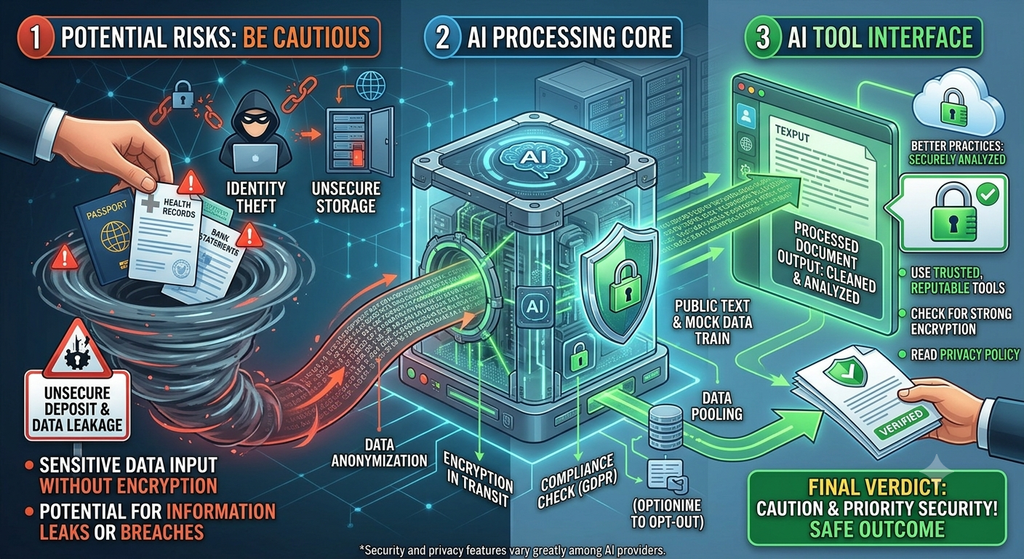
There are several important things to understand.
1. Your Document May Be Processed by the Platform
The AI service needs to access the information you provide to perform the requested task.
For example, if you upload a PDF and ask for a summary, the system needs to process the document’s contents.
This is different from simply typing a general question that contains no personal information.
2. Data Retention Depends on the Platform
Different services have different rules for storing uploaded files, conversations and account activity.
Some services offer temporary sessions, deletion options or retention controls. Others may retain information for different periods depending on the account type, product and applicable policies.
You should always check the platform’s current data retention policy instead of assuming that an uploaded file disappears immediately.
3. Some Services Have Model-Training Settings
Certain AI platforms allow users to control whether eligible conversations or submitted content can be used to improve their AI models.
This is an important distinction.
Turning off model training does not necessarily mean that your data is never stored or processed. It controls a particular use of your information.
4. Connected Applications May Have Additional Permissions
Some AI tools can connect to email, cloud storage, calendars and other applications.
When you enable these connections, the AI system may be able to access information covered by the permissions you approve.
Always review what an application can access before connecting it.
“How AI agents interact with connected applications”
Is It Safe to Upload Documents to ChatGPT?
ChatGPT offers several privacy controls, but users should understand what each control does.
OpenAI provides settings that allow eligible personal-account users to manage whether their conversations are used to improve models.
Here are some important options.
Turn off model improvement.
If you use a personal ChatGPT account, you can manage the model-improvement setting.
To review it:
- Open ChatGPT.
- Go to Settings.
- Select Data Controls.
- Find “Improve the model for everyone.”
- Turn it off if you do not want eligible new conversations used to improve OpenAI models.
Your conversations can remain in chat history even when this setting is disabled.
This setting is not the same as deleting your conversations or controlling every form of data retention.
Use Temporary Chat When Appropriate
Temporary Chat provides another privacy option.
According to OpenAI’s documentation, temporary chats do not appear in regular chat history, do not create or update memories and are not used to improve OpenAI models while they remain temporary.
They may still be retained for up to 30 days for safety purposes.
Therefore, Temporary Chat should not be treated as a guarantee that sensitive information can be uploaded without risk.
Understand File and Chat Deletion
Deleting a conversation and managing model-training preferences are separate actions.
If you upload a document, understand the platform’s file and chat retention rules before assuming that deleting one item immediately removes every associated copy.
You can read the official instructions here:
https://help.openai.com/en/articles/7730893-data-controls-in-chatgpt
Is It Safe to Upload Documents to Google Gemini?
Google Gemini also provides privacy controls that allow users to manage how their activity is saved and used.
Google’s Gemini Apps Privacy Hub explains how Gemini activity is handled and what settings users can change.
Before uploading documents:
- Review your Gemini app’s activity settings.
- Check the available activity and auto-delete options.
- Understand how your information may be used.
- Review the permissions of connected Google services.
- Avoid uploading sensitive documents unless necessary.
Google’s default activity settings and retention options can change. Check your account’s current settings rather than relying on an old tutorial.
Official reference:
https://safety.google/products/gemini
Which Documents Should You Avoid Uploading to AI Tools?
Not every document should be treated equally.
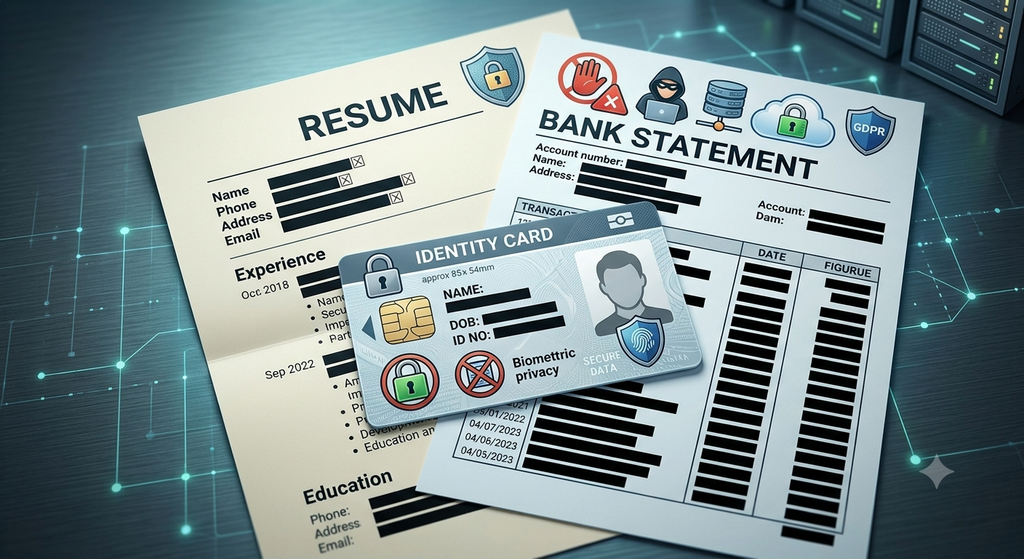
A public article, a basic resume and a bank statement contain very different levels of personal information.
Here is a practical guide.
| Document type | Recommended approach |
|---|---|
| Public PDF or article | Generally low risk |
| General study notes | Usually suitable |
| Resume | Remove contact and personal details. |
| Bank statement | Avoid uploading the original. |
| Aadhaar card | Never upload the unredacted document unnecessarily. |
| PAN card | Avoid sharing the original. |
| Passport | Avoid uploading identifiable copies. |
| Medical reports | Avoid unless using an appropriate, trusted service. |
| Legal agreements | Remove confidential information. |
| Business financial records | Use approved business systems |
| Passwords and OTPs | Never upload or share |
The important principle is simple: If a document contains information that could harm you if exposed, do not upload the original unless there is a clear need and you have verified that the service is appropriate.
What Are the Biggest Privacy Risks of Uploading Documents?
Understanding the risks helps you make better decisions.
1. Exposure of Personal Information
A document may contain information you do not immediately notice.
For example, a PDF could include:
- Phone numbers.
- Home addresses.
- Account details.
- Personal identification numbers.
- Signatures.
- Names of family members.
- Hidden document metadata.
Before uploading, check the entire document, not just the visible first page.
2. Accidental Sharing
Some platforms offer shared links, collaborative spaces or connected applications.
If you accidentally share a conversation or give an application unnecessary access, information may become available to people you did not intend to share it with.
Review sharing permissions carefully.
3. Data Breaches and Security Incidents
No online service can promise zero security risk.
Even established technology companies must protect their systems against unauthorised access, cyberattacks and security incidents.
The safest approach is to avoid uploading information that is not necessary for your task.
4. Human Review and Service Policies
Some platforms may permit limited human access to submitted content for purposes such as safety investigations, customer support or service improvement, subject to their policies and settings.
Do not assume that only an AI model can ever process the information you upload.
5. Incorrect or Misleading AI Responses
Privacy is not the only concern.
An AI tool might misunderstand a bank statement, misinterpret a legal clause or extract an incorrect figure from a document.
Always verify important information against the original document.

10 Safety Tips Before Uploading Personal Documents to AI
You do not have to stop using AI tools. You simply need to use them more carefully.
Here are ten practical precautions.
1. Remove Unnecessary Personal Information
Before uploading a document, remove details that are not required for the task.
For example, if you want help improving your resume, you may only need to share your education, skills and work experience.
Your phone number, home address and personal identification details are usually unnecessary.
2. Never Upload Passwords or OTPs
Never share passwords, PINs, OTPs, recovery codes or authentication credentials with an AI tool.
No document-analysis task requires you to disclose these details.
3. Redact Sensitive Details Properly
If you need to share a document, cover confidential information before uploading it.
Use a proper PDF redaction tool rather than simply placing a black shape over text. Some visual overlays can be removed, leaving the original information accessible.
After redaction, verify that the information cannot be selected, copied or recovered.
4. Read the Privacy Policy
Check how the platform handles uploaded files, conversations, retention and data usage.
Pay attention to the account type because personal and business accounts may have different privacy protections.
5. Review Data Controls
Check whether the platform allows you to manage model training, activity history, temporary sessions and deletion.
Do not assume that one privacy setting controls everything.
6. Avoid Uploading Original Identity Documents
Documents such as Aadhaar, PAN cards and passports contain sensitive information.
If you only need help understanding a form or preparing a template, share a blank version or a redacted copy instead.
7. Use Trusted Platforms
Before using an unfamiliar AI website, check its official website, privacy policy, company information and security practices.
Avoid uploading confidential files to unknown tools just because they promise free document analysis.
8. Check Connected App Permissions
If you connect cloud storage, email or other accounts, review the permissions carefully.
Give access only when it is necessary and remove connections you no longer use.
9. Keep a Separate Copy of Important Documents
Never depend on an AI platform as your only storage location for important documents.
Keep original files in secure storage with appropriate access controls.
10. Verify the Output
After an AI tool analyzes a document, compare the response with the original.
This is particularly important for financial figures, medical information, legal documents and official applications.
How to Use AI Without Sharing Your Personal Data
You can often get useful results without uploading an entire document.
Consider these alternatives.
For resumes: Remove your name, phone number, email and address before sharing the content for editing.
For bank statements: Provide only the required figures or manually prepared expense categories instead of uploading the original statement.
For study materials: Share publicly available chapters or non-sensitive notes.
For legal documents: Ask general questions about a clause without including names, addresses, signatures or confidential terms. For legal decisions, consult a qualified professional.
For business reports: Use anonymized examples or summaries instead of confidential company records.
For instance, instead of uploading your complete bank statement, you could write:
“My monthly income is ₹25,000. My expenses include ₹8,000 rent, ₹4,000 groceries and ₹2,000 transport. Help me prepare a budget.”
The AI can help you organize your finances without seeing your actual account number or transaction history.
What Should Businesses and Students Know About AI Privacy?
AI privacy is not only an individual concern.
Schools, colleges, offices and businesses should also establish clear rules about how employees and students use AI tools.
For Students
- Do not upload identity cards or private school records.
- Avoid sharing personal details about classmates.
- Use AI to understand concepts rather than sharing confidential information.
- Check school or college rules before using external AI tools.
For Employees
- Follow your organization’s AI usage policy.
- Do not upload internal reports or customer information to unapproved services.
- Use organization-approved AI tools.
- Check permissions before connecting workplace accounts.
For Small Businesses
- Classify documents according to sensitivity.
- Limit access to financial and customer records.
- Use appropriate business accounts and contractual protections.
- Establish clear rules for AI-generated actions.
- Train employees to recognize data exposure risks.
India’s CERT-In has also published guidance on AI deployment and secure use of public AI platforms, including restricting sensitive information uploads and establishing approval-based controls.
Final Thoughts: Should You Trust AI With Your Personal Documents?
AI tools can make working with documents faster and easier, but convenience should never come at the cost of unnecessary data exposure.
You do not need to upload your entire personal life to get a useful answer from AI.
Before sharing anything, ask yourself three questions:
- Does the AI tool actually need this information?
- Can I remove or hide sensitive details first?
- Do I understand how this platform handles my data?
If the answer to these questions is unclear, pause before uploading.
The goal is not to avoid artificial intelligence. It is to use it intelligently.
Remember: Share only what is necessary, protect what is personal and always stay in control of your information.
Frequently Asked Questions
1. Is it safe to upload documents to ChatGPT?
It depends on the document and your account settings. ChatGPT provides privacy controls, but users should avoid sharing sensitive information unnecessarily and understand the platform’s data-handling policies.
2. Can AI tools see my personal information?
AI tools process information included in the documents and messages you submit. Depending on the service and permissions, other systems or authorized personnel may also access certain information under applicable policies.
3. Can I upload my Aadhaar card to ChatGPT?
Avoid uploading an unredacted Aadhaar card unless there is a necessary and properly assessed reason. Most general AI tasks do not require your Aadhaar number or complete identity details.
4. Does turning off ChatGPT model training delete uploaded files?
No. Turning off model improvement is different from deleting chats or files. Review the relevant data controls and retention policies separately.
5. Is Google Gemini safe for uploading PDFs?
Gemini provides privacy settings and data controls, but safety depends on the document, your account settings and the service’s applicable policies. Avoid uploading confidential or highly sensitive PDFs unnecessarily.
6. Can AI tools store uploaded documents?
Depending on the platform, account type and product, uploaded files and related conversations may be stored for different periods. Check the service’s official retention and deletion policies.
7. Should I upload my resume to AI tools?
You can use AI to improve a resume, but consider removing your phone number, personal email, home address and other unnecessary identifying details first.
8. What is the safest way to use AI for document analysis?
Use trusted services, share only the minimum information required, redact sensitive details properly, review privacy settings and verify the AI-generated output.
For more practical guides on artificial intelligence, technology and digital safety, explore the AI & Technology section on India Nudge.