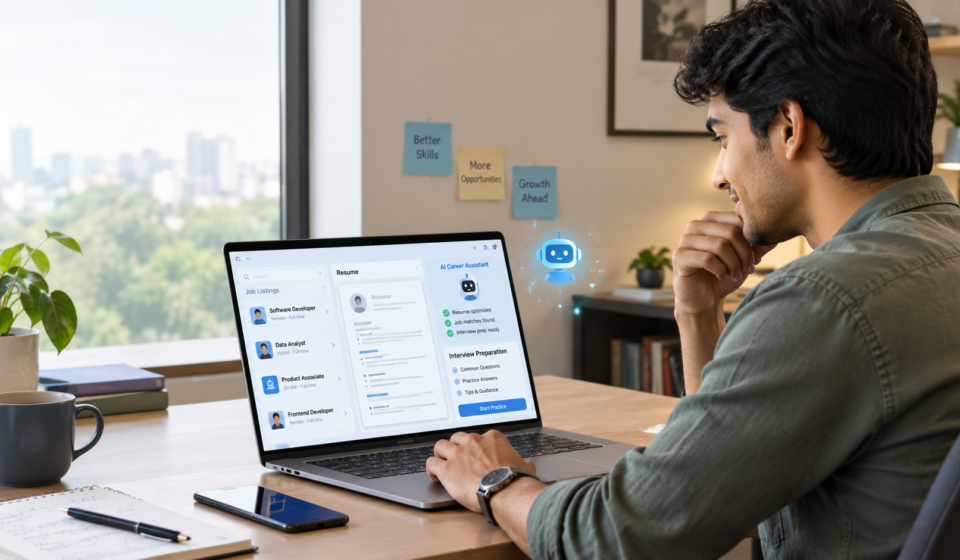
How to Use AI to Find a Job in 2026: Resume, Job Search & Interview Prep

Job hunting has changed a lot.
Earlier, finding a job mostly meant opening a job website, typing your job title, uploading the same resume everywhere and waiting.
Now you can use AI for almost every part of the process — from figuring out which jobs actually fit your skills to improving your resume, preparing for interviews and even organizing your applications.
But there is one important thing to understand:
AI should help you with your job search. It shouldn’t become the person applying for jobs while you have no idea what was submitted.
Think of AI as your career assistant. You still make the decisions.
Here’s a practical way to use it.
1. First, use AI to figure out what jobs you should apply for
This is especially useful if your experience doesn’t fit neatly into one job title.
For example, maybe you’ve worked in:
- Customer handling
- Sales
- Office management
- Operations
- Content
- E-commerce
- Teaching
- Administration
You may think, “Okay… but what job am I actually qualified for?”
Instead of randomly searching hundreds of jobs, give AI your real experience and ask it to identify possible roles.
Try this prompt:
Here is my education, work experience and skills: [paste details]. Suggest 10 job titles I could realistically apply for. Separate them into jobs where I am already qualified and jobs where I may need additional skills. Do not invent experience or qualifications.
You can then ask:
Which 3 of these roles have the strongest overlap with my existing experience? Explain why.
This gives you a starting point instead of blindly applying everywhere.
OpenAI’s own 2026 career-readiness material also recommends using ChatGPT to identify transferable skills, turn real experience into resume bullets and compare a job posting with your background.
2. Use AI to search for jobs more intelligently
The biggest mistake during a job search is searching only one exact title.
Suppose you’re looking for an administrative role.
You shouldn’t search only:
Administrative Assistant
You could also search:
- Operations Executive
- Operations Coordinator
- Office Administrator
- Business Operations Associate
- Customer Success Executive
- Sales Coordinator
- Project Coordinator
- Virtual Assistant
- Client Support Executive
AI can help you discover these related titles.
Try asking:
I’m looking for remote jobs based on my experience in [your experience]. Give me alternative job titles and search phrases I should use on Indeed, Wellfound and other job platforms.
You can then take those titles and search them on job platforms.
Indeed’s AI tools can help too
Indeed currently offers Career Scout, an AI-powered tool that can help users explore career paths, find job matches, tailor resumes and practise interviews. Availability and features can vary by market and platform.
So instead of simply typing:
Remote jobs
you can make your search much more specific:
Remote operations jobs for 1–3 years experience
or:
Remote customer support jobs, no sales, India
or:
Remote marketing coordinator jobs, entry level
The more specific your search, the less time you’ll spend opening completely irrelevant listings.
3. Don’t create one generic resume and send it everywhere
This is where AI can save a ridiculous amount of time.
Your basic resume can stay the same, but the emphasis should change depending on the job.
For example, imagine your resume says:
Managed customers, handled sales and assisted with daily business operations.
That’s okay.
But if you’re applying for an Operations Coordinator role, AI can help you rewrite the bullet around the parts of your experience that actually matter to that role.
The goal isn’t to make your experience sound bigger.
The goal is to make the relevant experience easier to see.
Try this prompt:
Here is my resume: [paste resume]. Here is the job description: [paste job description]. Identify the requirements I genuinely meet, the requirements I partially meet and the requirements I don’t meet. Then suggest which existing experience from my resume I should highlight. Do not invent experience, skills, certifications or achievements.
That last sentence is important.
Do not let AI make your resume impressive by making things up.
4. Make your resume easier for ATS systems to understand
Many employers use automated or AI-assisted systems to help process applications. These systems can examine information such as job titles, skills and descriptions of previous experience.
That’s why your resume should be:
- Easy to read
- Clearly structured
- Relevant to the job
- Consistent with the job description
- Free from unnecessary graphics
- Filled with accurate skills and experience
For example, if the job description repeatedly mentions:
customer support, CRM, client communication and problem-solving
and you genuinely have those skills, your resume should clearly communicate them.
Don’t stuff 50 random keywords into the resume just because AI told you to.
Ask AI:
Compare my resume with this job description. List the important skills and responsibilities mentioned in the job description that are genuinely supported by my experience. Suggest where I can naturally mention them in my resume. Do not add anything I haven’t actually done.
That’s much safer than:
“Make my resume ATS-proof.”
Because no AI can guarantee that a resume will get through every employer’s screening system.
5. Use Canva if you want to design your resume
Canva has an AI resume builder that can help generate and tailor resume content, while its Magic Write tools can rewrite and refine text.
But there’s a small warning here.
A beautiful resume isn’t automatically a better resume.
For highly traditional roles, a simple, readable layout may be more useful than a heavily designed one.
If you’re uploading a resume to a job platform, prioritize:
Clarity > decoration.
Indeed’s own resume guidance also recommends avoiding photos, graphics and scanned resumes when uploading a resume file.
6. Use AI to write a cover letter — but don’t let it sound like AI
You don’t need a dramatic five-paragraph essay explaining how you’re “thrilled to embark on this transformative journey.”
Please. 😭
A good cover letter should simply connect:
What the company needs + what you have actually done + why you’re interested.
Give AI:
- Your resume
- The job description
- The company name
- A few genuine reasons you’re interested
Then ask:
Write a short cover letter based only on my real experience. Keep it natural, specific and professional. Avoid generic phrases and exaggerated claims. Do not mention skills or achievements that aren’t in my resume.
Then read it yourself.
If you wouldn’t say something in a normal conversation, change it.
7. Use AI before applying — not just after applying
Here’s one of the most useful workflows.
Before clicking Apply, paste the job description and ask:
Based on my resume and this job description, tell me:
1. What requirements I meet
2. What requirements I partially meet
3. What requirements I don’t meet
4. Which parts of my experience I should highlight
5. What questions the employer may ask me
Do not assume I have experience that isn’t mentioned in my resume.
This can stop you from wasting time on jobs that clearly don’t match your background.
It can also show you what skills you need to learn next.
8. Use AI to prepare for interviews
This is probably one of the easiest ways to practise without needing another person.
Give AI:
- The job description
- Your resume
- The company name
- The job title
Then say:
Act as the interviewer for this position. Ask me one question at a time. Wait for my answer before asking the next question. After every answer, give me short feedback on clarity, relevance and what I could improve.
Now you have a mock interview.
You can practise:
Common HR questions
- Tell me about yourself.
- Why do you want this job?
- Why should we hire you?
- What are your strengths?
- What is one weakness you’re working on?
- Why did you leave your previous role?
- Where do you see yourself in the next few years?
Role-specific questions
These are even more important.
Ask AI:
Give me 15 technical or role-specific interview questions based on this job description, starting from beginner level and gradually becoming more difficult.
Then practise answering them out loud.
9. Use AI for salary negotiation practice
Getting an offer can be exciting.
And then comes the awkward part:
“What’s your expected salary?”
Instead of trying to improvise, practise beforehand.
Ask:
Act as an employer discussing salary with me. I will give you my expected salary. Challenge my number with realistic questions and help me practise responding professionally without sounding aggressive.
You can also ask AI to help you research the role’s typical salary range, but always verify salary information using current job listings and reliable market sources rather than trusting one AI-generated number.
10. AI can also help improve your job profile
Your resume isn’t the only thing employers may see.
Job platforms such as Indeed allow users to build profiles with experience, skills and job preferences, which can help with matching and employer discovery.
Ask AI:
Rewrite my professional summary for a job-search profile using only the experience I provide. Make it clear, specific and human. Avoid buzzwords.
Then create a profile that clearly tells employers:
What you do + what you’re experienced in + what kind of role you’re looking for.
11. A simple AI job-search toolkit for 2026
You don’t need 25 different AI tools.
Start with a small toolkit.
ChatGPT
Useful for:
- Finding possible career directions
- Identifying transferable skills
- Resume editing
- Job-description analysis
- Cover letters
- Interview practice
- Application planning
ChatGPT also supports resume formatting, and OpenAI says its job-search feature can surface live roles in supported markets, while resume formatting is available globally in English on the web.
Google Gemini
Useful for:
- Brainstorming career options
- Researching companies
- Comparing job requirements
- Writing and refining application material
Always verify important information from the original job posting or company website.
Indeed + Career Scout
Useful for:
- Finding jobs
- Exploring career paths
- Resume tailoring
- Interview preparation
- Tracking applications
Career Scout’s current features include job recommendations, resume help and interview practice.
Canva
Useful for:
- Resume formatting
- Simple resume designs
- Cover letters
- Professional documents
Canva’s AI resume tools can help tailor content, but keep the final design readable and appropriate for the role.
12. What AI should NEVER do for your job search
This part matters more than all the fancy AI tools.
Don’t ask AI to invent experience.
If you managed five people, don’t let it turn that into “led a 20-member team.”
Don’t invent certifications.
If you haven’t completed a course, don’t put it on your resume.
Don’t invent projects.
A fake project may look impressive until the interviewer asks you about it.
Don’t blindly submit hundreds of applications.
Indeed has even experimented with AI-assisted application submission, but its 2026 test was paused in its automatic mode while the company focused on keeping job seekers involved in reviewing applications before submission.
That’s a useful lesson:
More applications doesn’t automatically mean better applications.
Don’t upload sensitive information everywhere.
Be careful with documents containing unnecessary personal information, identification numbers, financial information or other sensitive data.
And always check the privacy practices of any third-party AI tool before uploading your resume.
Your 60-Minute AI Job Hunt
You don’t have to spend six hours every day applying.
Try this instead.
15 minutes — Find jobs
Search Indeed and other relevant platforms.
Save only jobs that genuinely match your experience and requirements.
15 minutes — Analyse the job
Paste the job description into AI.
Check:
- Skills required
- Experience required
- Your matches
- Your gaps
- Keywords worth highlighting
15 minutes — Tailor your resume
Adjust the relevant sections using your real experience.
10 minutes — Application
Write your cover letter or application answers.
Read everything before submitting.
5 minutes — Track it
Record:
- Company
- Position
- Date applied
- Salary if listed
- Application status
- Follow-up date
After a few days, you’ll have something much more useful than a folder full of random job links:
an actual job-search system.
The biggest mistake people make with AI and jobs
They use AI to make themselves sound qualified instead of using AI to become better prepared.
Those are two completely different things.
Use AI to understand your transferable skills.
Use it to find relevant job titles.
Use it to make your genuine experience clearer.
Use it to practise interviews.
Use it to identify skill gaps.
Use it to organize your search.
But when you finally sit across from the interviewer, you still need to be able to explain everything on that resume yourself.
That’s the whole point.
AI can make the job search faster.
It shouldn’t make your career less honest.
FAQs
Can AI really help me find a job?
Yes. AI can help with career exploration, job matching, resume tailoring, application preparation and interview practice. Tools such as Indeed Career Scout currently combine several of these functions.
Can ChatGPT create my resume?
Yes. You can provide your existing experience and a target job description and ask ChatGPT to structure and tailor your resume. The important part is to verify every statement and remove anything that isn’t true.
Is an AI-generated resume good for ATS?
AI can help make your resume clearer and more relevant to a job description, but there is no universal “ATS-proof” resume. Automated screening systems vary between employers and platforms.
Should I use AI to apply to hundreds of jobs?
A better approach is to use AI to identify relevant opportunities and tailor applications, rather than blindly submitting the same application everywhere.
Can AI help with interview preparation?
Absolutely. You can use it to simulate interviews, generate role-specific questions, critique your answers and practise salary discussions.
Is Canva good for making a resume?
Canva provides resume templates and AI-powered resume-writing tools. For applications where automated parsing may matter, keep the final document simple, readable and text-focused.
Final takeaway
You don’t need an expensive career coach or 20 different AI subscriptions to start.
A simple combination of:
AI assistant + job platform + good resume + application tracker + interview practice
can already make your job search much more organized.
The goal isn’t to let AI find your entire career for you.
It’s to spend less time doing repetitive work and more time on the part that actually matters:
finding the right opportunities and showing employers what you can genuinely do.