

Shopping online used to be pretty simple.
You searched for something, opened 10 tabs, checked reviews, compared prices, got confused, and finally bought the thing you were originally looking at.
Now AI is slowly changing that.
Instead of searching for:
“best headphones under ₹5,000”
you can tell an AI tool:
“I want wireless headphones under ₹5,000 mainly for calls and music. I don’t care about gaming. Compare the good options and tell me what I should check before buying.”
And that’s a very different way of shopping.
In 2026, platforms including Google and Amazon are already using AI to help shoppers discover products, compare options, understand reviews and track prices.
But here’s the thing:
AI can make shopping easier. It can also make you confidently buy the wrong thing.
So let’s talk about how to actually use it.
What is AI shopping?
AI shopping basically means using artificial intelligence to help with different parts of the buying process.
Instead of only matching keywords, AI can understand what you’re actually asking for.
For example:
Normal search:
“best office chair”
AI shopping request:
“I sit for 7–8 hours a day, have a small room, want something comfortable but not huge, and my budget is ₹12,000.”
The second request gives the AI much more context.
AI shopping tools can then help with things such as:
- Finding products
- Comparing products
- Summarising reviews
- Finding alternatives
- Understanding specifications
- Finding products from images
- Tracking prices
- Building shopping lists
- Suggesting products based on your requirements
And some platforms are moving towards AI-assisted shopping directly inside search and shopping interfaces.

Google is turning search into a shopping assistant
Google has been adding more AI-powered shopping features to its products in India.
In April 2026, Google announced shopping updates across Gemini, AI Mode in Search and Circle to Search.
In Gemini, users can get product listings, comparisons, prices and places to buy directly inside the conversation. Google says the shopping experience is powered by its Shopping Graph and is available in English and Hindi in India.
That means you don’t necessarily have to start with a specific product.
You can start with a problem.
For example:
“I need a birthday gift for my sister under ₹2,000. She likes skincare, cute stationery and home décor.”
Instead of manually searching each category, AI can help you narrow down the possibilities.
Google AI Mode can also compare shopping options
Google’s AI Mode can organise information such as product details, prices, reviews and inventory into an easier-to-understand shopping response.
That’s useful when you’re still deciding what to buy, rather than simply looking for a specific product.
And honestly, that’s where AI shopping becomes more interesting.
Amazon has AI shopping tools too
Amazon India has also been adding AI-powered shopping features.
Its shopping tools include:
- AI shopping assistance
- Lens AI
- AI Review Highlights
- Price History
- Buying Guides
- Personalised recommendations
Amazon says its AI shopping tools can help customers discover products, compare options and make purchase decisions.
One particularly useful feature is Lens AI.
Instead of explaining what you’re looking for, you can use an image.
For example, imagine you see a bag on Instagram.
You don’t know the brand.
You don’t know what the style is called.
You can use an image-based shopping tool to find visually similar products.
That’s much easier than trying to describe the bag as:
“small black kinda rectangular shoulder bag with silver chain thingy.”
We’ve all been there.
AI can summarise hundreds of reviews
This is probably one of the most useful applications.
Imagine you’re buying a ₹15,000 appliance.
There are 4,000 reviews.
You’re obviously not reading all 4,000.
AI-powered review summaries can help identify recurring themes from customer feedback.
Amazon’s AI shopping features include Review Highlights, which summarises customer review information to make product evaluation faster.
But don’t make the mistake of treating the summary as the final truth.
Use it as a shortcut.
If the summary says:
“Customers like the battery life but frequently complain about the charging cable.”
Go and look at some actual reviews mentioning the charging issue.
That extra two minutes can save you a lot of regret.
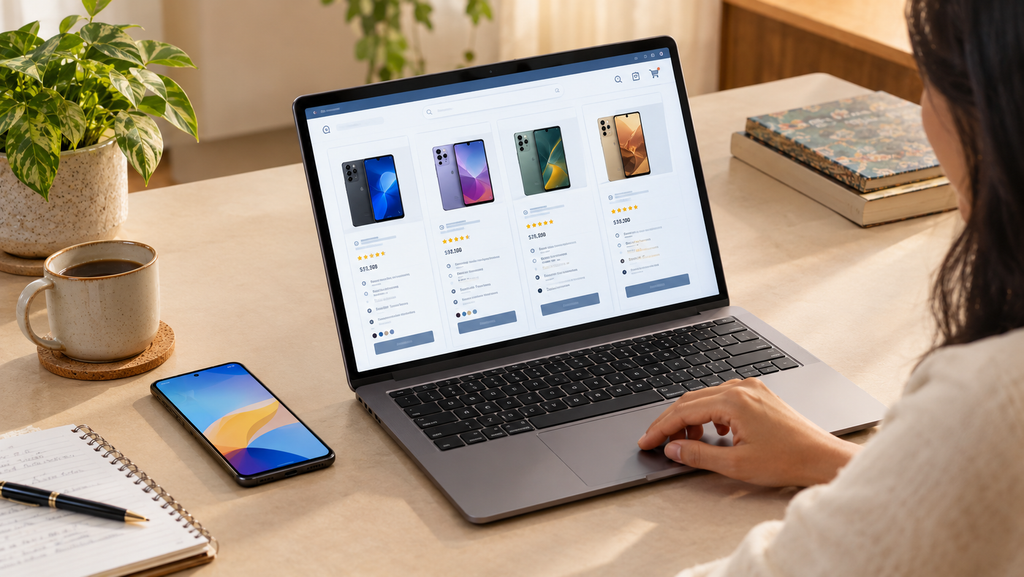
AI can help you compare products properly
This is where AI can be genuinely useful.
Let’s say you’re choosing between:
Phone A
- Better camera
- Smaller battery
- Better display
and
Phone B
- Bigger battery
- Average camera
- Lower price
Instead of asking:
“Which phone is better?”
Ask:
“Compare these two phones for someone who takes lots of photos, doesn’t play games and wants the phone to last all day. Ignore gaming performance.”
Now the AI has a specific decision framework.
That’s much better.
Because there isn’t always a universally “best” product.
There’s usually a product that’s better suited to a particular person.
You can also ask AI to find cheaper alternatives
Let’s say you find a ₹7,000 handbag you really like.
Instead of immediately buying it, ask:
“Find alternatives with a similar style under ₹3,000. Prioritise good reviews and avoid obviously low-quality materials.”
Or you’re looking at a ₹25,000 pair of headphones:
“What features am I actually paying for here? Find alternatives under ₹15,000 that provide similar features.”
This can turn AI into a second opinion before you spend money.
But there’s one BIG problem with AI shopping
AI can be wrong.
And shopping is exactly where that can become expensive.
An AI tool may:
- Get a specification wrong
- Use outdated pricing
- Confuse different variants
- Recommend a product based on incomplete information
- Miss a deal
- Misunderstand your requirement
- Mix information from different versions of a product
So don’t ask AI:
“Tell me what to buy.”
And blindly follow it.
Instead, ask:
“Help me compare these options.”
That’s a much safer way to use it.
Don’t trust AI with the final price
This is especially important during Indian sale seasons.
A product might show:
₹9,999 → ₹5,999
and suddenly it looks like a massive discount.
But was it actually ₹9,999 recently?
That’s why price history matters.
Amazon India has introduced a 30–90 day Price History tracker with price-target alerts as part of its AI-powered shopping tools.
If you’re shopping during a major sale, don’t just look at the crossed-out price.
Look at the actual price history where available.
Because:
sale price ≠ automatically good price.
My 5-minute AI shopping check
Here’s a simple system you can use before buying something expensive.
Step 1: Tell AI what you actually need
Don’t just say:
“Best laptop under ₹60,000.”
Say:
“I need a laptop under ₹60,000 for Excel, browsing, Canva and occasional video editing. I don’t game. Battery life and reliability matter more than raw performance.”
Now you’re giving it context.
Step 2: Ask for 3–5 options
Not 25.
You don’t need another spreadsheet-induced existential crisis.
Ask for a small shortlist.
Step 3: Ask what you’re sacrificing
This question is underrated.
Ask:
“What am I giving up with each option?”
You may discover that the cheapest laptop has a better processor but a poor display.
Or the expensive one has features you don’t actually need.
Step 4: Check real reviews
Use AI summaries as a starting point.
Then open actual customer reviews.
Look especially for repeated complaints.
Step 5: Check the price history
Before buying, check whether today’s “sale” price is actually competitive.
If you’re using Amazon, its Price History feature can help you see recent pricing trends.
AI shopping prompts you can actually copy
Here are some prompts that are more useful than simply asking:
“What’s the best product?”
For electronics
“Compare these three phones under ₹30,000. I care about camera quality, battery life and long-term software support. I don’t play games. Give me the major differences and what I should check before buying.”
For fashion
“Find alternatives to this product with a similar style under ₹2,000. Prioritise material quality, customer reviews and easy returns.”
For appliances
“I need an air conditioner for a medium-sized bedroom. Compare these options based on electricity consumption, cooling capacity, maintenance and warranty. Don’t focus only on the lowest price.”
For skincare
“Compare these skincare products based on ingredients, intended use and common customer complaints. Don’t recommend anything just because it is popular.”
Before a sale
“Check whether this current price looks reasonable compared with its recent price history. Also tell me what questions I should ask before buying.”
AI shopping is also becoming more “agentic”
This is where things get interesting.
The next stage isn’t just:
AI tells you what to buy.
It’s:
AI helps you complete the shopping process.
Google introduced its Universal Cart in 2026 as part of its work toward agentic commerce, where AI can help with shopping actions rather than simply answering questions.
Google has also been developing the Universal Commerce Protocol (UCP) to make interactions between AI agents and retailers more connected.
So shopping could gradually move from:
Search → compare → click → buy
towards something more like:
Tell AI what you need → AI finds options → compare → approve → purchase
That doesn’t mean every AI assistant can independently buy anything for you today.
But the direction is pretty clear.
AI is moving closer to the actual shopping journey.
Does this mean shopping will become better?
Potentially, yes.
But there are trade-offs.
The good side
AI can reduce the amount of time spent:
- Searching
- Comparing specifications
- Reading hundreds of reviews
- Finding alternatives
- Understanding technical terms
- Tracking prices
The not-so-good side
AI recommendations can also influence what you see.
A recommendation isn’t necessarily an objective statement that one product is the best.
There may be sponsored results, commercial relationships, incomplete information or simply mistakes.
Google, for example, has been testing sponsored shopping formats within AI Mode. Those sponsored placements are labelled as sponsored.
So always understand why a product is being shown to you.
Should you use AI before buying something?
For small purchases?
You don’t have to.
If you’re buying a ₹300 phone case, spending 20 minutes researching it might actually be more work than the purchase deserves.
But for something costing:
₹10,000, ₹30,000, ₹60,000 or more?
A few minutes of comparison can make sense.
The goal isn’t to make every shopping decision complicated.
It’s to use AI where it can actually save you time, money or regret.
Final takeaway
AI shopping isn’t really about asking a chatbot:
“What’s the best thing to buy?”
It’s about using AI as a research assistant.
Let it help you understand products.
Let it compare specifications.
Let it summarise recurring review complaints.
Let it find alternatives.
Let it help you create a shortlist.
Then verify the important details yourself before paying.
Because the smartest use of AI in shopping isn’t replacing your judgement.
It’s giving you more information before you use it.
And honestly, that might be the most useful kind of AI for an ordinary online shopper.



[…] you want to use AI to make this process faster, check out our guide on THIS, where we explain how AI can help compare products, understand reviews and shop more […]