

Creating content takes time. Here are 10 AI tools that can help with writing, images, video editing, captions, research, and social media content in 2026.
Creating content sounds easy until you’re actually sitting there thinking:
“Okay… what am I supposed to post today?” 😭
Then comes the script.
Then the thumbnail.
Then editing.
Then captions.
Then the “why does this video look so boring?” crisis.
The good news is that AI can now help with a surprisingly large part of that workflow.
But here’s the thing: you don’t need 25 AI tools open in 25 browser tabs.
A few good tools can handle most of the work.
Here are 10 AI tools worth knowing about in 2026, especially if you’re a beginner, social media creator, blogger, freelancer, or small business owner.
1. ChatGPT—For Ideas, Writing & Planning
If you’re constantly stuck at the “I have no idea what to post” stage, ChatGPT can be useful as a brainstorming and planning partner.
You can use it to:
- brainstorm content ideas
- create content calendars
- develop video hooks
- outline blog posts
- rewrite captions
- simplify complicated information
- generate variations of headlines
- research and organize ideas
- Turn rough notes into a clearer structure
OpenAI describes ChatGPT’s brainstorming use around generating options, organizing ideas into themes, and turning rough directions into actionable plans.
It can also help with images. ChatGPT’s current image tools can generate and refine visuals from natural-language prompts.
Best for: Writers, bloggers, social media creators, and beginners.
Pro tip: Don’t just ask.
“Give me Instagram ideas.”
Give it your niche, audience, goal, and limitations. You’ll usually get much more useful results.
If you’re looking for ready-to-use ideas for your Instagram profile, check out our Instagram Bio Ideas for Girls guide.
2. Canva — For Designs, Social Posts & Visual Content
Canva has become much more than a drag-and-drop design website.
Its current AI features can help with things such as
- generating designs
- writing
- image generation
- image editing
- presentations
- video creation
- resizing content
- AI-powered editing
Canva’s current AI tools include Canva AI 2.0, which lets users work conversationally to brainstorm, create, and refine designs.
Canva also currently offers a free plan in India, with paid plans providing additional AI and premium features.
Best for: Instagram posts, Pinterest graphics, thumbnails, presentations, and blog graphics.
If you’re a beginner, this is probably one of the easiest places to start.
3. Adobe Firefly—For AI Images & Creative Assets
Adobe Firefly is particularly useful if your content needs visuals.
You can use Firefly to:
- generate images
- edit images with text prompts
- generate video
- edit video
- create sound effects
- generate speech
- create mood boards
- explore creative concepts
Adobe currently describes Firefly as a creative AI workspace covering image, video, audio, and design generation/editing.
It also offers access to models from Adobe and partners, depending on the feature and plan.
Best for: Bloggers, designers, marketers, and creators who need original visual assets.
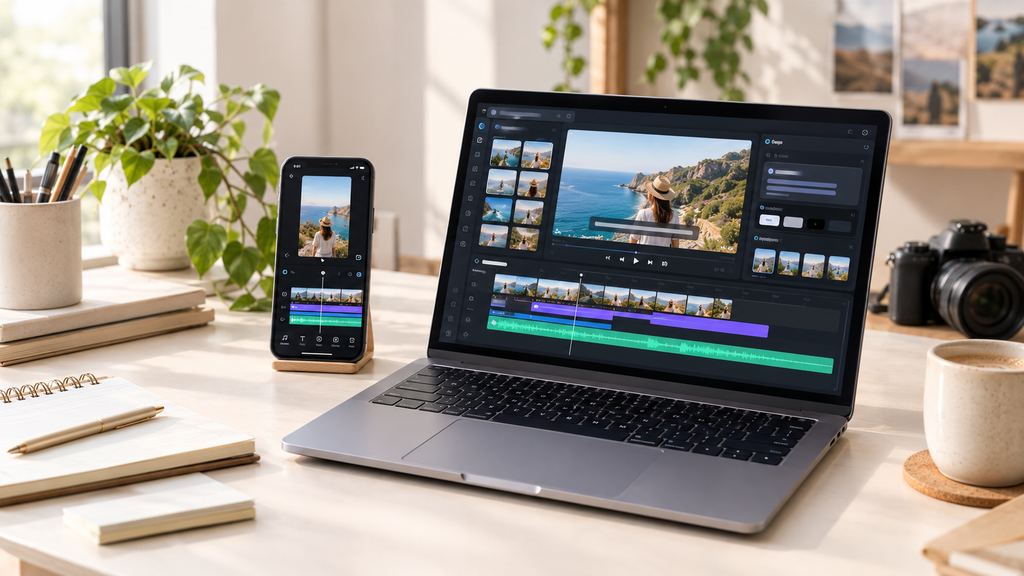
4. CapCut—For Short-Form Video Editing
If you’re making Reels or Shorts, editing can eat up a ridiculous amount of time.
CapCut’s AI-powered tools can help automate parts of the process.
Its current tools include:
- automatic video cutting
- auto captions
- AI scene detection
- music syncing
- templates
- short-form video editing
CapCut’s Auto Caption feature uses AI speech-to-text to generate subtitles, which you can then edit and style.
Its online auto-video editor can also automatically cut footage and identify useful moments for short-form videos.
Best for: Instagram Reels, TikTok-style videos, and YouTube Shorts.
5. Descript—For Talking Videos & Podcasts
Descript takes a slightly different approach to video editing.
Instead of thinking only in terms of a traditional video timeline, you can work with the transcript of your recording.
It offers features for:
- captions
- transcription
- video editing
- clips
- translations
- YouTube descriptions
- show notes
- social media posts
Descript also allows creators to turn longer content into shorter clips for different platforms.
Best for: Podcasts, interviews, YouTube videos, and talking-head content.
6. Adobe Express—For Quick Social Content
If Canva isn’t your thing, Adobe Express is another option for quickly creating social content.
It combines:
- video editing
- graphics
- photos
- presentations
- captions
- social publishing
- AI-powered features
Adobe currently says its free mobile experience includes video editing and automatic captions, while also offering tools for scheduling and publishing social content.
Best for: Beginners who want an all-in-one social content tool.
7. AI Image Generators—For Visuals You Can’t Photograph
Sometimes you need an image that simply doesn’t exist.
Maybe you’re writing about:
“What will shopping look like in 2030?”
You probably aren’t going to photograph that yourself.
That’s where AI image generation can help.
Tools such as ChatGPT Images and Adobe Firefly can create visuals from text descriptions and allow you to refine them.
For example:
“Create a realistic editorial image showing a futuristic Indian shopping experience using AI assistants, landscape format, and a clean technology aesthetic.”
You can then adjust the prompt until you get something useful.
Best for: Blog featured images, social graphics, concepts, and visual storytelling.

8. AI Writing Assistants—For the First Draft
AI writing tools can help when the biggest problem isn’t writing but simply starting.
They can help you:
- create outlines
- rewrite awkward sentences
- shorten long paragraphs
- generate headline variations
- change tone
- summarize information
- turn notes into drafts
But there’s an important distinction:
AI should help you create better content—not replace your judgment.
For example, OpenAI’s own guidance describes ChatGPT as useful for brainstorming, research, editing, and developing ideas rather than simply replacing the writer.
So instead of:
“Write everything for me.”
Try:
“Here are my notes. Organize them into a clear structure and tell me what information is missing.”
You’ll have much more control over the final result.
9. AI Caption & Content Assistants
Coming up with the actual caption after spending an hour making the post can feel like a punishment.
AI can help you generate variations for:
- Instagram captions
- Pinterest descriptions
- YouTube descriptions
- hooks
- calls-to-action
- social posts
- promotional copy
For example, you can give AI one idea and ask for:
3 funny versions + 3 professional versions + 3 short versions.
Then choose the one that actually sounds like you.
That last part matters.
Don’t blindly paste the first AI-generated caption you receive. Edit it.
10. AI Research & Idea Tools
One of the biggest uses of AI isn’t actually generating content.
It’s helping you figure out what content is worth creating.
You can use AI to:
- organize research
- compare ideas
- Identify questions your audience might have
- create topic clusters
- summarize information
- turn research into content outlines
- Find gaps in your existing content
For example, instead of asking:
“Give me 50 blog ideas.”
Ask:
“I’m building a technology website for beginners. Give me 20 article ideas based on questions people are likely to have, group them by topic, and identify which ones could become evergreen search content.”
That’s a much better starting point.
So Which AI Tool Should You Actually Use?
You don’t need all ten.
Here’s a simple breakdown:
| What you want to do | Tool to try |
|---|---|
| Brainstorm ideas. | ChatGPT |
| Write/organize content. | ChatGPT |
| Create social graphics. | Canva |
| Generate/edit images. | Adobe Firefly / ChatGPT |
| Edit Reels | CapCut |
| Edit podcasts/videos. | Description |
| Quick social designs | Adobe Express |
| Research & planning | ChatGPT |
| Captions & hooks | ChatGPT / Canva |
| Visual concepts | Firefly / ChatGPT |
The best tool is usually the one that fits your actual workflow, not the one with the longest feature list.
💡 Do You Need Paid AI Tools?
Not necessarily.
A lot of beginners make the mistake of subscribing to five or six AI tools before they’ve even created their first 10 pieces of content.
Don’t.
Start with the free versions where they’re useful.
For example, Canva currently offers a free plan, while additional AI usage and premium features are available through paid plans.
Try a tool first.
Actually use it.
Then decide whether paying for additional features will save you enough time to justify the cost.

⚠️ Don’t Let AI Make Your Content Sound Like AI
This might be the most important point in the entire article.
AI can make content faster.
But faster doesn’t automatically mean better.
If every article, caption, and social post sounds like
“In today’s fast-paced digital world…”
People are going to notice.
Use AI for:
Ideas → Research → Structure → First drafts → Editing → Variations
Then add:
Your experience → Your opinion → Your examples → Your personality
That’s what makes the final content yours.
The Simple AI Content Workflow
If you’re completely new to AI, don’t overcomplicate it.
Try this:
Step 1—Brainstorm
Use ChatGPT to generate and organize ideas.
Step 2—Research
Check the important facts and sources yourself.
Step 3—Create
Use ChatGPT, Canva, or another appropriate tool to create the first version.
Step 4 — Design
Use Canva or Adobe tools for visuals.
Step 5—Edit
Use CapCut for short-form video or Descript for transcript-based video editing.
Step 6—Humanize
Read everything before publishing.
Remove generic phrases.
Add your own examples.
Fix anything that sounds unnatural.
Step 7—Publish
Now it’s ready.
The goal isn’t to let AI create everything.
The goal is to spend less time doing repetitive work so you have more time to actually create.
Final Take
AI isn’t going to magically turn a bad content idea into a viral post.
But it can remove a lot of the boring parts of creating content.
Instead of spending an hour staring at a blank document, you can start with an outline.
Instead of spending forever creating a basic graphic, you can generate a starting point.
Instead of manually captioning an entire video, AI can do the first pass.
That’s where these tools are most useful.
Use AI to move faster—not to stop thinking.
Still choosing a name for your creator account? Here’s our guide to Instagram Username Ideas for Girls, Creators & Personal Brands.
❓ FAQs
What is the best AI tool for content creators?
There isn’t one tool that’s best for everyone. ChatGPT is useful for brainstorming, planning and writing; Canva is strong for visual content; CapCut is useful for short-form video; and Adobe Firefly is useful for AI-generated and edited creative assets.
Can I create content using AI for free?
Yes. Several tools offer free plans or free usage, although limits and available features vary. Canva, for example, currently has a free plan in India.
Can AI create Instagram Reels?
AI can help with parts of the Reel workflow, including editing, captions, visuals and content ideas. CapCut currently offers AI-powered editing and automatic captions, while Canva and Adobe also offer AI-assisted video and design tools.
Can AI replace a content creator?
Not really. AI can automate or speed up parts of content creation, but creators still need to decide what to make, understand their audience, check information and add their own perspective.
Should beginners pay for AI tools?
Not immediately. Start with free versions, learn your workflow and only pay when a feature saves enough time or improves your work enough to justify the cost.



[…] AI tools that can help creators create content faster […]